All Activity
- Today
-
This thing was huge of money, and i bought it specificlly to use with this game.
- Yesterday
-
ENVY: Where Friendship and Beats Collide
MeiLing replied to MeiLing's topic in Events and Activities

-
 DomMom joined the community
 -
Доброго времени суток. Как узнать за что и на сколько по времени получена блокировка на аккаунт?
-
 Cheat joined the community
 -
VERY GOOD JOB , THANK YOU SO
-
VERY GOOD JOB , THANK YOU SO
-
I have reported this to Lovense already but they rightly point out this appears to be an issue with 3DXChat's lovense-toy server. The issue being: 3DXChat support for Lovense toys is completely broken on iOS app. Turn on the toy (say Max 2). The green light will blink slowly as usual. Turn on the phone/tablet device with BT (where the Lovense app is installed) and run the corresponding app. Let's say the iOS Lovense app on iPad Air 2. Ensure app is connected with the toy (says so on the app, toy light stops blinking and becomes steady, with the occasional 'refresh blink'). Battery for both at 90% or higher. Log in to 3DXChat. Pick a character, go home, add virtual partner. (This also works with being in any world with a real partner). Click Menu and choose Lovense, then Connect. The QR code comes up. Tap on the plus sign at top right of the app, scan the QR code and then click Yes to allow 3DXChat control of the toy. It will now also state 'Toys controlled by 3DXChat' on the app while the Lovense section on the 3DXChat menu will show that the 'Toys are connected'. Choose a pose with your virtual (or real) partner which would normally result in the controlled toy to buzz. So, e.g. do not use Couch Foreplay 1 but use Couch Vaginal 1. No buzzing happens on the toy while the right pose is happening on-screen. The app however continues to show that toys are controlled by 3DXChat. Clicking on Menu within the game and then looking at the Lovense section states that the Lovense Remote app is offline (which it is not). Stopping control from the app (tapping the pink 'Stop' button), then repeating the process by trying to get a new QR code and so forth results in the same issue. This happens even if you choose not to stop control from the app (i.e. not to tap on the pink Stop next to the 'Toys controlled by 3DXChat' message). Edit: I tested it again now and it seems to work. I will keep testing throughout the day (July 3) to check if any problems emerge.
- Last week
-
-
A happy Birthday, yesterday, to Deborah Harry.
-
 Kaitlyn1989 reacted to a post in a topic:
What are you listening to?!
Kaitlyn1989 reacted to a post in a topic:
What are you listening to?!
-
 HollyUk joined the community
 -
 Akali changed their profile photo
 -
What about really good boots without plateaus in different length?
-
 Luna Gabriela joined the community
 -
Could the guys have this?



-
 ScorpioOrion changed their profile photo
 -
ScorpioOrion joined the community
-
Loir reacted to a post in a topic:
Seeking a Partner for a Cuckold Arrangement
-
my post is the newest in RP now, read and write if you want
-
I am from Russia, so I communicate through a translator. I am a 22 year old girl I am a newbie, I want to play the role of a whore for the owner and his friends, strangers and anyone who wants to fuck me. I play the role of a slave or a very obedient whore. I love group sex. I also have a set of toys from lovense for more realistic role-playing (lush 4, graviti, anal plug and nipple clamps) all toys are synchronized with the game. if you want to play write how to contact you, I play mostly from morning to early evening 9:00- 18:00 (GMT +3)
-
 Loir joined the community
 -
MistressBeryl reacted to a post in a topic:
Ideas
-
MistressBeryl reacted to a post in a topic:
Ideas
-

XGold Transfers Are Ruining This Game
MistressBeryl replied to DireTeddyBear's topic in Ideas & Suggestions
“Why are ‘prostitution’ and associated profiles, spaces and behaviors allowed by game developers?” It's not a request to give something for which you get nothing. You are free not to do it, but you can't expect or demand that everyone has sex with you for free, or to have sex with you at all. So what is your problem? Just don't go to strip clubs where you just sit around silently anyway. -

XGold Transfers Are Ruining This Game
SailorJack replied to DireTeddyBear's topic in Ideas & Suggestions
what about EULA??? is it not clear enough? 2. Prohibitions, restrictions and conditions of use, for all game chats and channels. 2.06. Begging/Soliciting in any form is prohibited in all game chats and channels. Begging/Soliciting includes but is not limited to: requesting users to transfer real money to the virtual wallet, asking for additional credits, and requests to transfer game gold. 2.07. All types of ads for sale, exchange, or other options for the transfer of accounts from one user to another violate EULA and are prohibited in all game chats and channels. why "prostitution" and associated profiles, rooms and behavior is allowed by the game developers? how are developers monitoring and how is sanctioned prostitution trough Chapter 2 para 2.06, 2.07 of EULA in this game? what about users prompting/encouraging other players to buy xGold with real money (which is possible in the game)??? is this the "community" standard? -
SailorJack joined the community
-
 AndyClenents35 joined the community
 -
that definately sums it up
-
 MrsLovesGUCCI reacted to a post in a topic:
Every builder when they finish.
MrsLovesGUCCI reacted to a post in a topic:
Every builder when they finish.
-
 MrsLovesGUCCI joined the community
 -
Light_Stripe reacted to a post in a topic:
PLEASE just add something letting us spawn avatars and use objects/poses in world editor
-
 SynKitten joined the community
 -
technically we can already do this now——but may only have 3-5 poses per bed otherwise it will look a little bulky with a lot of frames, cuffs and chains
-
I am still about darlings, just working My ass off like everyone else *KISSES!* But, I am also working on KNOWLEDGE, which will be a HUGE multi posting topic. This is stage 4 and the one you can not help the submissive on when the test time comes. This is to certify that the submissive has learned about BDSM and its simple and intricate details. This will be compromised of all the things you have taught, of yourself, the way, and of the philosophy of the BDSM as a whole. Now a darling asked me what is past this? Oh sweety, there is a the ART. 3 specialties of BDSM that most are not aware of. I will cover those too at a later time. The basics first ^- Love ~Z
-
I was wondering if we could add BDSM Bed like Redlight Center /RLC game where the Avi is tied up Spread Eagle and your partner control your position and sex pose where your partner kisses you during sex
-
Zulu is a premier BBC BNWO community serving almost exclusively the 3dxchat community. We recently upgraded our discord server and are in the process of adding back our old members, and we are now accepting new members. Add KingSpadeKS on discord.
-
Hi all, The Backseat Inn has been expanding a lot. We have now couple of maids returning every day. So please come around and join our little community. We are still looking for maid or ladies who like to give company at the parking lot.

-
Is there anyone here that can give me some clear direction on setting up an audio stream to be used in my 3dx room? Ideally, I would like to stream straight off of my spotify until I am comfortable running my room, then start to actually dj! I would greatly appreciate the help!!
-
 THE GAME IS UP!!!!!!!!!!!!!!!
 -
 SweetSin changed their profile photo
 -
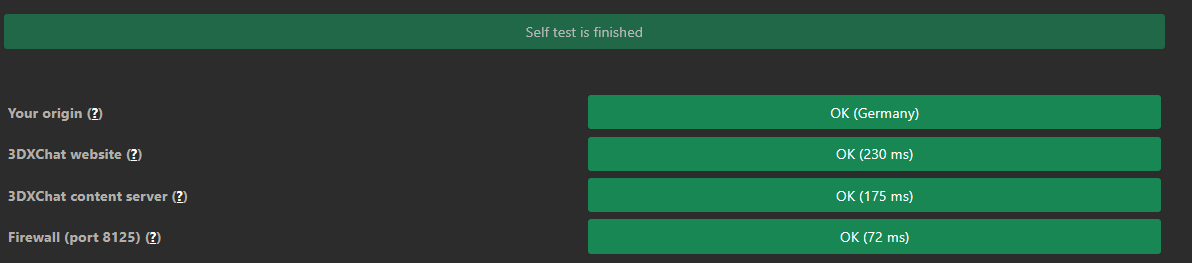
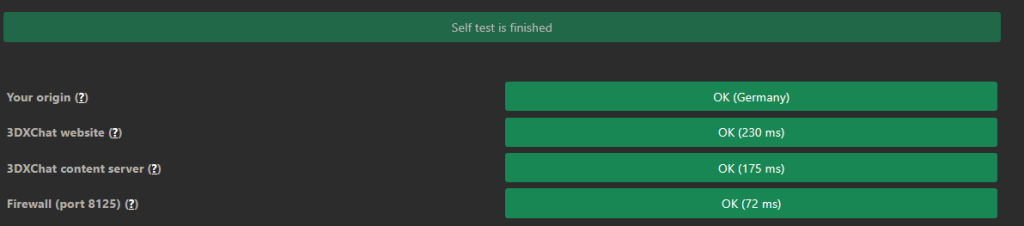
i get the same constantly disconnects after some seconds- connection refused but that say i am ok. so its just the game... but why are there no messages about official? and if so , where ?
-
 KAMAKAZi changed their profile photo
 -
Uhmmm......Hate to break it to everyone, but EVERYONE will get this error......Server encryption error if I am not mistaken. ...... Have a look here, but posting 50 million threads for the same issue...https://status.3dxchat.net/